



Description
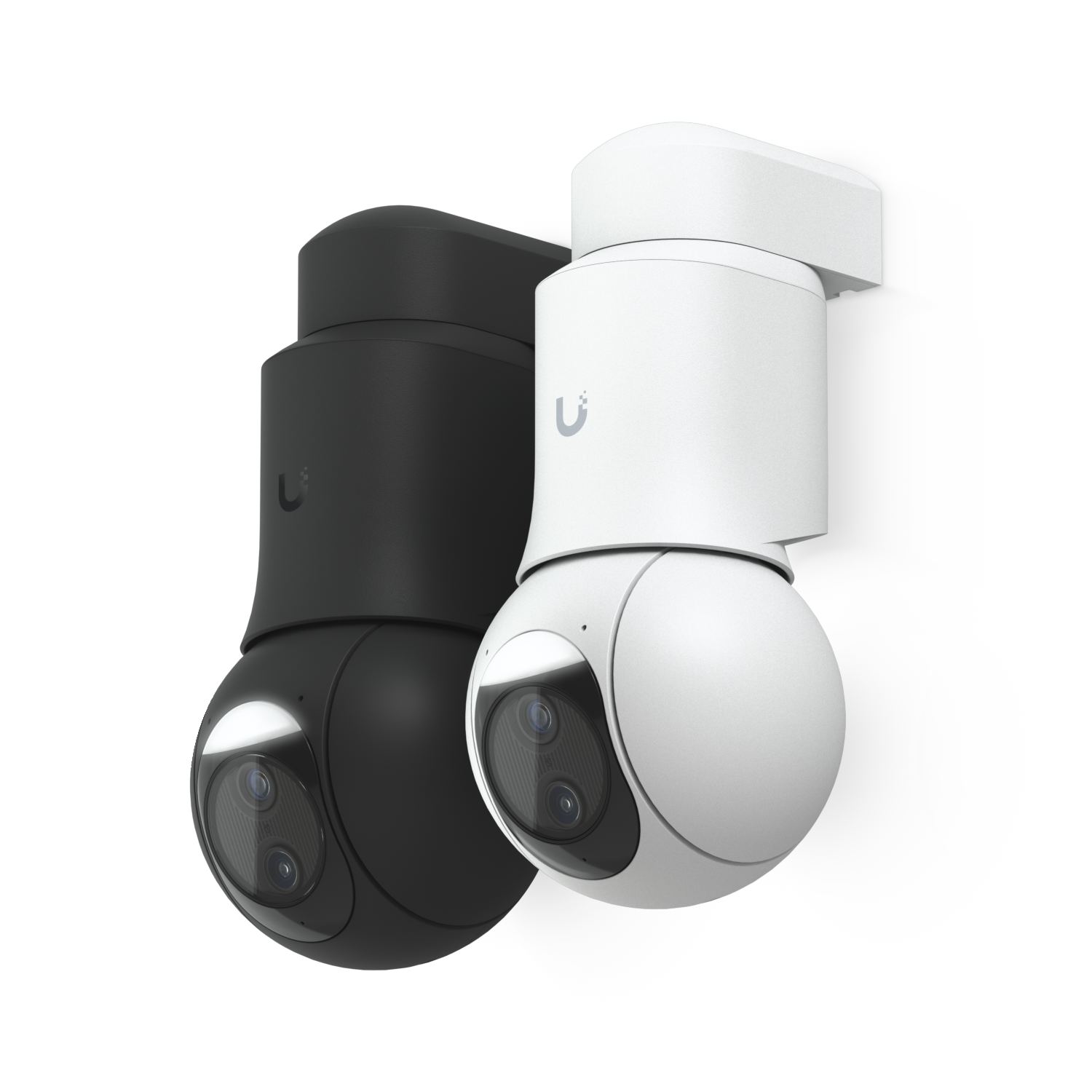
Camera G6 PTZ (White) at a glance
Camera G6 PTZ (White). Product reference: Ubiquiti UVC-G6-PTZ Camera G6 PTZ. Check the verified model and configuration below against your existing equipment before ordering.
Key specifications
UVC-G6-PTZ-W
White
10/100 MbE RJ45 port
4K
Wall, Surface, Ceiling, Pole mount (Included) Corner, In-Ceiling, Pendant mount, Conduit adapter (Optional)
PoE+
Without mount: ⌀107.2 x 104.5 x 203.2 mm (⌀4.2 x 4.1 x 8") With mount: ⌀107.2 x 111 x 230.2 mm (⌀4.2 x 4.4 x 9.1")
Installation and planning details
What This Product Does
The Ubiquiti UVC-G6-PTZ Camera G6 PTZ gives the customer a specific tool for the Cameras part of the project. It should be selected because it performs a useful job in the system, not just because the model number is available. Before purchase, the product should be matched to the job site, the connected devices, the user expectation, and the support plan.
That makes the installation cleaner and helps reduce service issues after the product is in use.
Business Use Case
This product is a practical fit when a customer wants the Cameras portion of the system to be planned, installed, and supported correctly. It can be used in new installations, system upgrades, replacement projects, and service work where the customer needs dependable equipment that fits the rest of the design.
The product should be reviewed with the full system in mind, including how users will interact with it, what equipment it connects to, and how the installation will be maintained.
Installation and Compatibility
Before installing the Ubiquiti UVC-G6-PTZ Camera G6 PTZ, confirm the power method, mounting location, cabling, network access, accessories, licensing, and compatibility requirements. If the product connects to a recorder, controller, phone system, network switch, alarm hub, audio/video system, or cloud service, those details should be checked before the job is scheduled.
Planning these items in advance helps prevent registration issues, missing parts, weak placement, poor performance, or extra service visits.
- Power check: Confirm power source, PoE, adapter, battery, or related requirements.
- Mounting check: Confirm placement, brackets, surface type, and cable path.
- System check: Confirm compatibility with connected equipment and service platform.
- Setup check: Confirm programming, provisioning, user assignment, and testing needs.
- Documentation check: Save model, configuration, and installation notes for future support.
Choosing equipment for your project
Before requesting an installation quote, save the manufacturer model and the configuration shown on this page. If this item must work with existing equipment, include the existing model numbers and clear photographs of the connection or mounting points. This helps confirm the correct parts before equipment is ordered.
Review quantities, cable routes, power requirements and access to the work area with the installer. Ask which accessories, related equipment, software or licenses are included in the proposal and which need to be supplied separately. Keep the approved equipment list with your project documents so substitutions can be checked before installation.
After installation, request a demonstration of the completed work and retain the product details and any configuration records for future service. For a camera installation, discuss the area to be viewed, mounting height, lighting and recorder compatibility. Test the proposed view before final mounting and check that nearby surfaces do not obstruct the image.
Installation and support
Cloud 504 Technologies can evaluate this product for your location, integrate it with compatible equipment, configure it for the intended use, and test the completed installation. Required labor, cabling, licenses, mounts, accessories, and related equipment are quoted separately.
For system design and installation guidance, visit the related Cloud 504 service page or request a Cloud 504 quote for help selecting, installing, and integrating the complete solution.
Reviews
There are no reviews yet.