


A warehouse camera system usually gets judged on the worst day, not the day it was installed. That is why choosing the best security camera system for warehouse operations is less about flashy specs and more about coverage, reliability, and how well the system holds up when something actually goes wrong. If a shipment disappears, a dock door is left open, or an after-hours incident needs review, the system has to deliver clear video fast.
Warehouses are demanding environments. You are dealing with long aisles, loading docks, changing light, forklifts, dust, and large areas that cannot afford blind spots. A camera package that works fine in a small office lobby can fall short quickly in a warehouse. The right setup starts with the building, the workflow, and the risks you need to manage every day.
What makes the best security camera system for warehouse facilities?
The best warehouse systems are built around operational visibility, not just perimeter security. You need to see who entered, what moved, when it happened, and whether the footage is usable enough to settle a claim or support an investigation. That means camera placement, recording quality, retention time, and network performance all matter together.
A good warehouse camera system should cover entry points, loading docks, shipping and receiving areas, inventory zones, exterior approaches, and any restricted rooms. In many facilities, the biggest mistake is over-focusing on doors while under-covering the places where products sit, move, or get staged. If you cannot track the path between arrival and departure, you still have a gap.
It also needs to fit the environment. High ceilings change lens selection. Bright dock doors create backlighting problems. Overnight operations may need stronger low-light performance or dedicated supplemental lighting. Outdoor cameras need weather protection, and indoor cameras may need to stand up to dust, vibration, and temperature swings near open bays.
Start with risk, not brand names
Many owners start by asking which manufacturer is best. That matters, but not first. The better question is what problems the system needs to solve.
For one warehouse, the priority may be shrinkage around high-value inventory. For another, it may be truck traffic at the dock, employee safety, or after-hours trespassing. A multi-tenant property may care most about shared access points and exterior coverage. A distribution operation may need tighter visibility around packing stations and outbound verification.
This is where one-size-fits-all packages usually miss the mark. Twelve cameras may be enough for one 20,000-square-foot building and nowhere close for another with more doors, racking, yard access, and traffic lanes. The best system is the one designed around the actual workflow, not a generic camera count.
Camera types that usually make sense in a warehouse
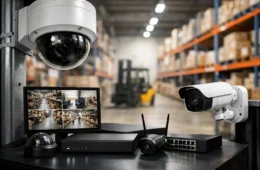
Most warehouse installations rely on a mix of fixed turret or bullet cameras, plus a few specialty cameras where needed. Fixed cameras do the heavy lifting. They are dependable, cost-effective, and ideal for watching dock doors, hallways, cage areas, and exterior approaches.
Turret cameras are often a solid fit indoors because they handle infrared reflection better than some dome models in dusty spaces. Bullet cameras are common outdoors where longer-range views are needed. For wider open areas, a multi-sensor camera or a properly placed wide-angle unit can reduce the number of devices required, but there is always a trade-off. Wide views can cover more space, yet they may not give enough detail for identification at a distance.
PTZ cameras can help in large yards or high-traffic zones, but they should not be treated as a substitute for fixed coverage. A PTZ only records where it is pointed at that moment. In most warehouses, fixed cameras provide the dependable baseline, and PTZ units are added only where active monitoring or flexible zoom control makes sense.
Resolution matters, but placement matters more
Higher resolution sounds good on paper, and in some areas it absolutely helps. A 4MP or 8MP camera can provide stronger detail for faces, labels, and vehicle views. But resolution alone will not fix poor placement.
If a camera is mounted too high, pointed into glare, or asked to cover too much area, even a strong sensor will disappoint. A properly placed 4MP camera often outperforms a poorly positioned 8MP camera. In warehouse work, the goal is not just to see movement. It is to capture usable detail where incidents are likely to happen.
That usually means tighter views at doors, gates, docks, and inventory control points, with broader overview cameras filling in the movement between them. A good design balances identification shots with general scene coverage so you can both spot the event and verify the people or equipment involved.
Storage, retention, and search speed
A warehouse camera system is only as useful as the footage you can actually pull when needed. This is where many low-cost setups become frustrating. They may record continuously for a short period, overwrite too soon, or make it difficult to search events quickly.
Retention should match your operation. Some facilities only need two to three weeks. Others need 30, 60, or 90 days because of claims, customer disputes, or internal review processes. Higher resolution, more cameras, and longer retention all require more storage. There is no way around that.
Cloud recording can be useful in some cases, especially for remote access and backup, but full cloud storage for a large warehouse can become expensive fast. Many businesses do better with a local network video recorder or server-based system paired with remote access and smart event search. The right answer depends on camera count, internet reliability, and how often footage gets reviewed.
The network behind the cameras is part of the system
This gets overlooked all the time. Cameras do not perform well on weak switching, overloaded cabling, or poorly planned bandwidth. In a warehouse, where cameras may be spread across long runs and separate zones, the network infrastructure needs to be clean and intentional.
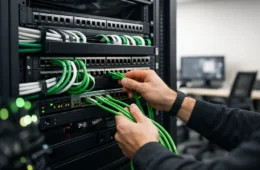
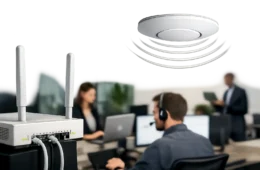
That means proper structured cabling, correct PoE switching, surge protection where needed, and enough network capacity for live viewing and recording. If remote access is important, the system also needs secure setup and stable connectivity. A camera system should not create problems for the rest of your business network, and your business network should not drag down the camera system.
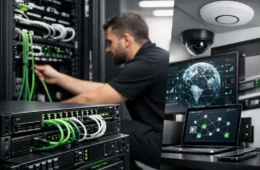
This is one reason integrated planning matters. Security cameras, access control, and networking often work better when designed together instead of pieced together by different vendors.
Best security camera system for warehouse security also depends on lighting
Warehouses can be bright in one area and dim in the next. Loading docks are especially tricky because daylight at open doors can wash out details inside, while nighttime conditions can leave major gaps if the cameras are not chosen carefully.
Good low-light cameras help, but they are not magic. In some cases, adding or improving lighting near entrances, yards, or dock lanes does more for usable video than upgrading camera resolution alone. If license plate capture is needed outdoors, that often requires a more specialized setup than a standard overview camera.
The practical takeaway is simple. The best system accounts for real light conditions at the times incidents are most likely to happen, not just how the building looks during a daytime walkthrough.
Do not ignore remote access and user control
Warehouse managers, owners, and operations teams often need fast access to live and recorded video without being on site. Remote viewing is now expected, but it should be set up with clear permissions and security controls.
Not everyone needs the same level of access. A site manager may need full playback control, while a supervisor may only need access to certain cameras or live views. Good user management protects the system and keeps review simple. The goal is quick access without creating unnecessary risk.
For businesses with multiple locations, centralized visibility can be a major advantage. It saves time, supports accountability, and gives leadership a cleaner view of operations across sites.
Installation quality changes long-term performance
Even strong equipment can turn into a problem if the installation is sloppy. Exposed cable, poor labeling, weak mounting, and bad aiming all show up later as service calls, missed footage, or system downtime.
A warehouse installation should be clean, documented, and built for maintenance. That includes secure camera mounting, organized head-end equipment, labeled cable runs, and enough planning for future expansion. If your operation grows, the system should be able to grow with it.
This is where working with a provider that handles networking, cabling, cameras, and support under one roof tends to pay off. Companies like Cloud 504 Technologies are often brought in not just to install cameras, but to make sure the infrastructure behind them is right the first time.
What to look for when comparing options
If you are evaluating systems, focus less on marketing language and more on whether the design answers your actual operational needs. Ask how the camera layout addresses blind spots, what retention you will get at the proposed quality settings, how remote access is secured, and what support looks like after installation.
Also ask what happens when something fails. Warehouses do not have much patience for long service delays or finger-pointing between vendors. A dependable system includes dependable support.
The best security camera system for warehouse use is usually not the cheapest option and not the most complicated one either. It is the one that captures the right areas clearly, stores footage long enough, runs on a stable network, and stays serviceable over time. When the system is built around how your facility actually works, it stops being just another device on the wall and starts becoming part of how you protect inventory, people, and daily operations.
If you are planning a warehouse camera upgrade, the smartest first step is a real site assessment. Good coverage starts with knowing what your building asks the system to do.