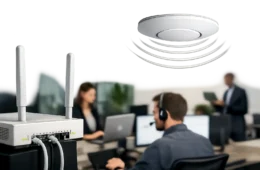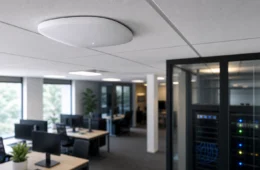




If your staff loses signal every time they walk into a conference room, storage area, or far corner office, the problem is usually not your internet plan. When business owners ask how to improve office wifi coverage, the real answer almost always comes down to design, placement, interference, and the condition of the network behind the signal.
A stronger office WiFi network is not built by guessing. It is built by treating coverage like infrastructure. That means understanding where signal is weak, why it is weak, and what changes will actually fix it without creating a new set of problems somewhere else.
Why office WiFi coverage breaks down
Most office WiFi issues start with a setup that was never designed for the current space. A small office might have begun with one router near the front desk, and over time the business added more users, more devices, more cloud apps, more video meetings, and more square footage. The network stayed the same while demand increased.
Building materials also matter more than many people expect. Glass, metal framing, concrete, brick, shelving, equipment rooms, and even elevator shafts can weaken or reflect wireless signals. A signal that looks fine on paper may perform poorly once it has to pass through walls, furniture, and busy work areas.
Then there is interference. Nearby offices, tenant spaces, printers, cordless devices, cameras, smart TVs, and employee devices all compete for airtime. In a dense commercial environment, WiFi is not just about signal strength. It is also about channel management and how efficiently each access point serves the devices around it.
How to improve office WiFi coverage without wasting money
The fastest way to waste money is to buy a stronger router and hope for the best. That approach can sometimes help a very small office, but in most business environments it only pushes the same design problem a little farther down the hall.
A better approach is to start with the physical layout. Walk the office and identify where calls drop, file uploads stall, card readers disconnect, or video meetings freeze. Coverage problems are often tied to specific work zones such as conference rooms, back offices, warehouse edges, waiting areas, or exterior-facing suites.
From there, look at device density. A break room with ten phones may need less attention than a meeting room where fifteen laptops and a display system connect at once. Good WiFi design is not just about reaching every corner. It is about supporting the way people actually work in each area.
Start with access point placement
If you want to know how to improve office wifi coverage in a real business setting, access point placement is usually the first major fix. WiFi equipment performs best when it is positioned intentionally, not tucked into a closet, hidden under a desk, or mounted wherever power happened to be available.
Access points should be placed where users need service, not where the internet enters the building. That sounds obvious, but many office networks still center everything around the demarcation point or server closet. The result is strong signal in the wrong place and weak signal where staff actually work.
Ceiling-mounted access points often provide better distribution than desktop gear because they reduce obstruction and spread coverage more evenly. Placement also needs to account for walls, room layout, and the overlap between access points. Too little overlap creates dead zones. Too much can create unnecessary contention and roaming issues.
In larger suites, medical offices, retail spaces, or mixed-use work areas, one well-placed access point is usually better than one very powerful device trying to cover the entire floor. Multiple properly tuned access points nearly always outperform a single consumer-grade router in a business environment.
Cabling matters more than people think
Wireless coverage still depends on wires. If an access point is fed by poor cabling, an overloaded switch, or an unstable uplink, the WiFi experience will suffer no matter how modern the hardware looks.
Structured cabling gives you the freedom to place access points where they belong instead of where it is convenient. It also makes the installation cleaner, easier to support, and better suited for long-term growth. Businesses that rely on temporary patching, unmanaged add-ons, or old cable runs often end up fighting the same wireless issues again and again.
This is one reason office WiFi should be treated as part of the full network, not as a standalone gadget. Switching, cable quality, power delivery, and internet handoff all affect the end result.
Choose business-grade equipment, not home gear
A lot of offices are still running on equipment that was built for a house, not a workplace. Home routers may be fine for a very small operation with a handful of users, but they are not designed for consistent performance across larger spaces, higher device counts, or business-critical applications.
Business-grade access points give you better control over channel use, transmit power, roaming behavior, guest access, and security segmentation. They also make it easier to scale. If your office grows, adds staff, opens adjacent space, or needs separate networks for employees, guests, phones, cameras, and IoT devices, that flexibility matters.
The trade-off is cost. Business-grade hardware costs more up front, and it should be installed and configured correctly to get the benefit. But for companies that depend on stable voice calls, cloud platforms, and connected systems every day, the lower failure rate and easier support usually justify the investment.
Tune the network, don’t just turn it on
Coverage and performance are not the same thing. A device may show full bars and still perform poorly if the network is poorly tuned.
Channel planning is one of the biggest factors. If nearby access points overlap on the same channels, they interfere with each other. If transmit power is set too high, client devices may hang onto a distant access point instead of moving to the closer one. If it is set too low, you create weak spots and unstable roaming.
Band steering, minimum data rates, and proper SSID design can also make a difference. In some offices, splitting traffic across employee and guest networks helps stabilize performance. In others, too many SSIDs create more overhead than benefit. This is where experience matters, because the right settings depend on the size of the office, the mix of devices, and the kinds of applications being used.
Consider interference from non-WiFi sources
Not every coverage complaint is a WiFi design issue. Some problems come from the environment itself. Microwaves, wireless presentation tools, Bluetooth-heavy rooms, security devices, neighboring tenant networks, and industrial equipment can all create trouble.
This is why a site survey is so useful. It helps identify whether you are dealing with low signal, co-channel interference, poor roaming, or outside noise. Those are different problems, and they do not all have the same fix. Adding more access points to an interference-heavy environment can actually make things worse if the network is not engineered properly.
Plan for the way your office operates
An accounting office, a retail showroom, a warehouse office, and a medical clinic do not use WiFi the same way. That is why cookie-cutter recommendations rarely hold up.
If your office depends on video meetings, cloud phone systems, wireless printers, mobile scanning, security devices, or guest traffic, the network needs to reflect that. A front office may need clean guest separation. A back office may need stronger support for voice and large file sync. A mixed-use building may need careful roaming design across several work zones.
This is also where coordination with other systems becomes valuable. If your business phones, cameras, access control, and office network all rely on the same infrastructure, changes to WiFi should not be made in isolation. A good design supports the whole environment, not just internet browsing.
When to stop troubleshooting and redesign
If you have already added extenders, replaced the router, restarted equipment, and moved things around, it may be time to stop patching and address the design itself. Extenders can help in limited situations, but they often cut performance and create inconsistent user experiences. They are usually a workaround, not a strong long-term solution for a business.
A proper redesign makes more sense when your office has frequent dead zones, inconsistent conference room performance, growing device counts, or repeated complaints from staff. In those cases, the goal is not just more signal. The goal is dependable coverage that matches the way the business runs.
For businesses across Texas, Louisiana, and Oklahoma, this usually means looking at WiFi as part of the broader network and low-voltage environment. Cloud 504 Technologies works with companies that need that kind of practical approach – clean installation, proper placement, structured cabling, and support after the job is done.
The best office WiFi is the kind your team does not have to think about. If people can move through the office, join meetings, process work, and stay connected without hunting for signal, the network is doing its job.