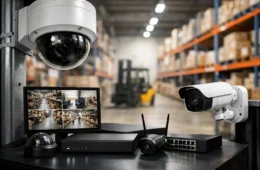

A bad network usually does not fail all at once. It shows up as dropped calls in the office, cameras that lag when you need footage, Wi-Fi dead spots in the back of the building, or a home office that slows down every afternoon. That is why network design and installation services matter more than most people realize. The real job is not just getting devices online. It is building a system that fits the space, supports daily use, and stays dependable as demands grow.
For a small business, that might mean stable internet for phones, point-of-sale systems, computers, cameras, and guest Wi-Fi without one part dragging down the rest. For a homeowner, it may mean strong wireless coverage, clean cabling, reliable streaming, and smart devices that actually respond when you use them. In both cases, the difference is planning. When the design is right, the installation goes faster, the network performs better, and future service calls are easier to handle.
What network design and installation services actually include
A lot of people picture a network install as a modem, a router, and a few access points. In practice, the work is more involved. Good network design starts with how the property is used, what equipment depends on connectivity, where users need coverage, and what kind of growth is likely over the next few years.
That planning affects everything from structured cabling routes to switch capacity, wireless access point placement, rack layout, internet failover options, VLAN setup, and power protection. In a business setting, the network may also need to support VoIP phones, access control, surveillance systems, conference room technology, and Microsoft 365 workflows. In a residence, it could include outdoor Wi-Fi, media rooms, home offices, security systems, and smart home devices.
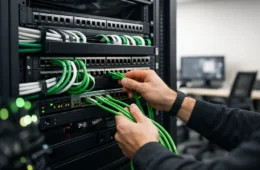
Installation is where design decisions become visible. Clean terminations, labeled cabling, properly mounted hardware, and organized equipment are not cosmetic extras. They make troubleshooting faster, reduce avoidable failures, and create a system someone can service later without guessing what was done.
Why design matters before installation
One of the most common problems in older buildings and rushed remodels is that technology gets added piece by piece. A new camera system goes in. Later, someone adds phones. Then access control. Then more wireless coverage. Nothing is coordinated, and the network becomes a patchwork of devices fighting for space, bandwidth, and power.
That is where network design and installation services pay off. Instead of treating each addition as a separate project, the network is built as shared infrastructure. The switch is sized for current and planned devices. Cabling is routed with future expansion in mind. Wireless coverage is mapped to the layout, not guessed from a shelf. Security and business systems are considered together, because they often rely on the same backbone.
This approach does not always mean spending more. In many cases, it prevents waste. You avoid installing equipment twice, replacing underpowered hardware too soon, or paying another contractor later to fix cabling that should have been done correctly the first time.
Network design and installation services for business use
Businesses usually feel network issues first in lost time. Staff cannot stay connected, payment systems slow down, file access becomes inconsistent, and support calls increase. Even a small office can have a surprising number of connected systems, and each one places different demands on the network.
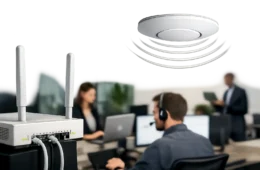
A front office may need secure staff Wi-Fi, a separate guest network, reliable phone service, printer connectivity, and cloud application access. A retail location may need point-of-sale terminals, cameras, music, digital displays, and back-office systems all running at once. A warehouse or larger facility may need wider wireless coverage, stronger switching, and better placement for equipment cabinets and cable runs.
The right installation accounts for both performance and day-to-day serviceability. That means sensible hardware locations, proper cable management, documented ports, and equipment that can be supported long term. If a business has multiple systems handled by different vendors, problems tend to bounce around with no clear owner. When networking, phones, security, and cabling are planned together, support is more straightforward and downtime is easier to control.
What homeowners should expect from a proper network install
Residential projects are often underestimated because the space looks simpler. In reality, homes now rely on networks for work, entertainment, cameras, door access, automation, and general internet use across dozens of devices. A router from the internet provider might be enough for a small apartment, but it usually falls short in larger homes, multi-story layouts, detached garages, or properties with heavy streaming and smart device use.
A proper design looks at wall materials, square footage, outdoor coverage needs, and where the highest demand actually happens. A home office may need wired connections for stability. A media room may need stronger throughput. Exterior cameras and smart gates may need structured runs rather than relying on weak wireless signals.
Good installation also matters more in homes than many people expect. No one wants exposed cables, poorly placed equipment, or add-on devices hanging from random corners. Clean work protects the appearance of the space and makes future upgrades much easier.
The trade-offs that matter most
There is no one-size-fits-all network, and anyone promising that is skipping the hard part. The right setup depends on the property, the budget, and how critical uptime really is.
For example, wired connections generally offer better stability than wireless, but they require more labor and planning. Enterprise-grade hardware often lasts longer and provides better control, but it may not be necessary for every residential install or very small office. A fully segmented network can improve security and performance, but it adds configuration complexity that should be managed correctly.
The same goes for growth planning. Some clients need a network built for expansion because they are opening new offices, adding cameras, or increasing staff. Others simply need a dependable setup that solves current problems without overspending. A good provider does not oversell hardware. They match the system to actual use and explain where the trade-offs are.
Signs your current network needs professional attention
Some network problems are obvious, and some become normal because people work around them for too long. If your team regularly resets equipment, avoids certain rooms because Wi-Fi is weak, or deals with random slowdowns during busy hours, the network is already affecting operations.
Other warning signs include messy or unlabeled cabling, consumer-grade gear supporting business systems, cameras dropping offline, choppy VoIP calls, and new technology projects that keep requiring workarounds. Homeowners may notice buffering in rooms far from the router, unreliable smart home performance, or security devices that lose connection at the worst times.
These issues are not always caused by internet service itself. Often the trouble is inside the building – poor access point placement, overloaded switches, old cabling, bad terminations, or a design that never matched the way the space is used.
What to look for in a service provider
Experience matters, but the kind of experience matters too. You want a provider that can design, install, configure, and support the system after it goes live. If one company handles cabling, another installs cameras, and a third manages the network, accountability gets blurry fast.
Look for a team that asks practical questions about usage, floor plan, device counts, future expansion, and support expectations. They should care about rack organization, cable labeling, hardware placement, and how the network ties into phones, security, access control, and productivity systems. Clean work is not a small detail. It is usually a sign of how the rest of the project will be handled.
Local support also matters. When something affects your business or home, you do not want to wait on a remote help desk that did not install the system and cannot see the site conditions. A hands-on partner can make better design choices from the start and respond faster when something needs attention later. That is one reason many clients across Texas, Louisiana, and Oklahoma prefer a provider like Cloud 504 Technologies that can handle implementation and ongoing support under one roof.
A network should make everything else work better
The network is the foundation behind phones, cameras, access control, cloud apps, smart devices, and day-to-day communication. When it is planned well and installed cleanly, the rest of your technology works the way it should. When it is not, every connected system starts feeling unreliable.
If you are dealing with weak coverage, cluttered cabling, or systems that were added without a real plan, it may be time to stop patching around the problem and build the network the right way.